
Managing your account: How to update company information
Download Step 6: How to update company info
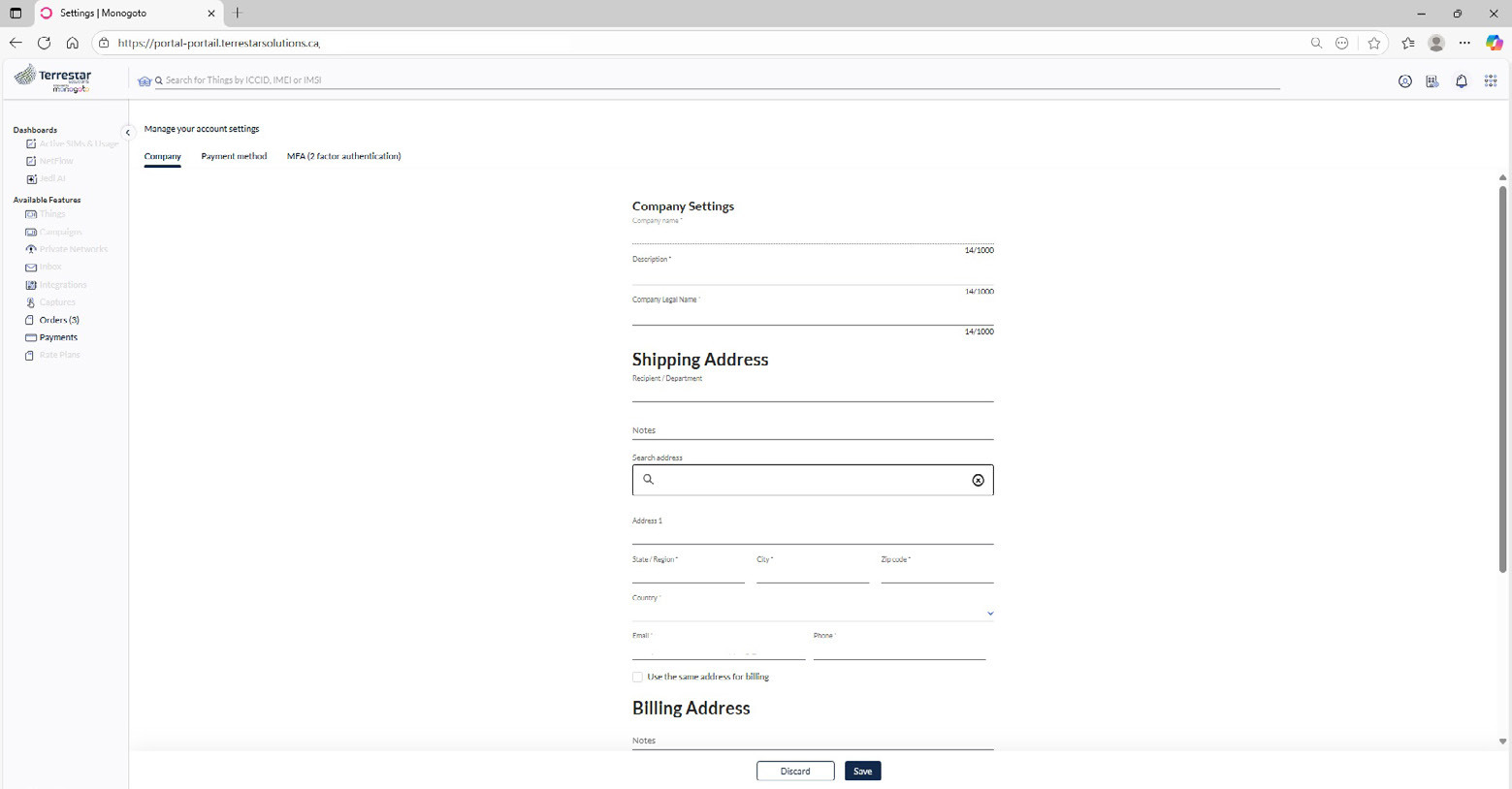
If you have administrator access, you can change the information in your account.
1. Go to the Terrestar Solutions portal.
2. Access your account.
3. From the top bar, click Account settings.
4. In the dropdown menu, choose Settings.
5. The Company page will open, so you can update your company details as needed.
6. Enter the required updates in the company information fields. Please note that all fields marked with an asterisk (*) are mandatory.
7. By default, the shipping and billing addresses are the same. To use different addresses, uncheck the box next to the relevant line.
8. Make sure you click Save to apply and confirm your changes.